Product-Views.com vs. Image-to-Layers: Warum monatliche Abos zahlen, wenn es Pay-As-You-Go gibt?
Ein technischer und wirtschaftlicher Systemvergleich zu KI-Mehrwinkelfotografie, Preismodellen (Pay-As-You-Go vs. 29–99 $/Monat Abo), PSD-Ebenenexport und Marktplatz-Konformität.
E-Commerce-Händler, Amazon-Verkäufer und Retuscheure nutzen zunehmend KI, um 45°-Winkel, Rückansichten und Makrodetails aus einem einzigen Foto zu erzeugen.
Sowohl Product-Views.com als auch Image-to-Layers.com (Product Views AI) bieten hochentwickelte neuronale Pipelines, die teure Fotostudios und Modellgagen überflüssig machen.
Ihre Abrechnungsmodelle und Post-Production-Möglichkeiten unterscheiden sich jedoch grundlegend: Product-Views.com erzwingt monatliche Abonnements mit verfallenden Credits, während Image-to-Layers.com auf 100 % transparentes Pay-As-You-Go und nativen PSD-Ebenenexport setzt.
Das Fazit: Image-to-Layers spart über 90 % der Kosten mit Pay-As-You-Go und bearbeitbaren PSD-Ebenen
Für 95 % aller E-Commerce-Marken macht ein monatliches Abo für 29–99 $ keinen Sinn, wenn Kollektionen saisonal erscheinen. Product-Views.com entwertet ungenutzte Credits alle 30 Tage und liefert nur flache Bilder. Image-to-Layers bietet volle finanzielle Freiheit mit Paketen ab 3,99 $ für 30 Credits (~0,09 $ pro Winkel), die niemals verfallen, und exportiert direkt bearbeitbare PSD-Ebenen.
Detaillierter Benchmark-Vergleich
Direkter Vergleich von Abrechnungsmodell, Credit-Ökonomie, Bildtreue und Photoshop-Export.
| Kriterium | Image-to-Layers.com (Sieger) | Product-Views.com |
|---|---|---|
| Abrechnungsmodell & Bindung | 100 % Pay As You Go ab 3,99 $ für 30 Credits (~0,09 $/Winkel). Keine monatlichen Abos. | Monatlicher Abo-Zwang (29 bis 99+ $/Monat). Keine kleinen Einzelpakete. |
| Credit-Verfallsrichtlinie | Credits verfallen NIEMALS. Heute kaufen und das ganze Jahr flexibel nutzen. | Credits werden alle 30 Tage auf 0 zurückgesetzt. Ungenutzte Credits verfallen komplett. |
| Ebenenbasierter PSD-Export | Echter Photoshop (.PSD)- und transparenter PNG-Export (separater Gegenstand, Schatten, Reflexion). | Nur flache Rasterbilder (JPG/PNG). Keine Trennung von Schatten oder Reflexionen. |
| Effektive Kosten pro Winkel | ca. 0,09 bis 0,13 $ pro hochauflösendem Winkel (ohne Credit-Verlust). | 0,30 bis über 0,80 $ pro Winkel durch verfallene Monats-Credits. |
| Marktplatz-Konformität | Amazon Reinweiß RGB(255,255,255) und Shopify 2048px quadratisch out-of-the-box garantiert. | Oft gräuliches Weiß, das manuelle Nachbearbeitung in Photoshop erfordert. |
| On-Model Trageansichten | In den regulären Pay-as-you-go-Credits für Schmuck und Mode enthalten. | Nur in teuren Enterprise- oder High-Tier-Plänen verfügbar. |
| Kommerzielle Nutzungsrechte | 100 % unbefristete kommerzielle Lizenz bei jedem Credit-Kauf inklusive. | Kommerzielle Lizenz erlischt oft bei Kündigung des monatlichen Abos. |
Vier wirtschaftliche und technische Detailanalysen
1. Pay-As-You-Go vs. Abo-Falle: Die reale Kostenrechnung
Most DTC brands, Amazon FBA sellers, and independent jewelry creators do not photograph new inventory every day. Product releases happen in seasonal drops, batch restocking, or periodic catalog expansions. A merchant might need 40 angles in March and zero in April.
On Product-Views.com, maintaining an active account requires paying $29 to $99 every single month ($348 to $1,188 per year). When you don't release products in a given month, your paid credits are wiped out completely. If you cancel your subscription, you lose your remaining balance and access to your workspace history.
Image-to-Layers.com eliminates subscription traps with 100% transparent Pay As You Go: a $3.99 starter pack provides 30 credits (or $9.99 for 85 credits). Generating 5 SKUs across 4 angles (20 angles total = 80 credits) costs just $9.99 total — delivering over 90% annual savings with zero recurring bills.
2. Mehr als flache Bilder: Warum PSD-Ebenen unverzichtbar sind
Generating an AI product angle is only the first step of an e-commerce workflow. Professional retouchers need to adjust contrast, fine-tune cast shadows, position seasonal promotional badges behind the bottle, or composite the item into campaign banners.
Product-Views.com outputs flat, flattened raster images. If an AI generation produces a shadow that feels slightly too harsh or an edge that clips against a colored banner, designers are forced to spend 20 minutes manually cutting the object out with the Photoshop Pen tool.
Because Image-to-Layers is built on our industry-leading layer decomposition engine, every multi-angle generation can be exported directly into a layered Adobe Photoshop (.PSD) file. The product, floor reflection, soft contact shadow, and cleanly inpainted backdrop are isolated onto separate editable layers.
3. Markentreue: Erhalt von Nährwerttabellen und Facetten
Generic image generators distort small typography, turn nutrition label ingredient lists into unreadable hieroglyphics, and smudge prong settings on diamond rings.
Both platforms utilize reference-guided conditioning, but Image-to-Layers implements strict spatial and spectral anchoring. For skincare bottles and supplement jars, label typography and barcode geometries are locked. For jewelry, 18K yellow gold alloy tones and pavilion facet counts remain crisp across 45° and macro angles.
Furthermore, if any element requires fine-tuning, having the output in separated PSD layers allows your design team to retouch typography or swap label text in seconds without re-running the entire generation.
4. Amazon RGB 255 & Shopify 2048px Konformität
Amazon FBA strictly enforces that main catalog images must be shot against a 100% pure white background (RGB 255, 255, 255). An off-white tint (such as RGB 251, 252, 250) will cause Amazon's automated ingestion bots to suppress your listing.
Image-to-Layers guarantees mathematically pure RGB(255, 255, 255) backgrounds out of the box with zero alpha edge fringe, alongside Shopify's recommended 2048x2048px high-resolution square formatting. Best of all, because the shadow exists on an independent blending layer, you can retain realistic contact shadowing while keeping the backdrop at absolute RGB 255.
Product Views AI live testen
Produktfoto hochladen und Katalogansichten mit Pay-As-You-Go generieren.
Multiple angles from one image
Upload a product photo on a plain background.
Click to upload or drag product photo
PNG, JPEG, WebP · Max 20MB
Target Camera Angles
Interactive Angle & Fidelity Inspection
Slide to inspect photorealistic multi-angle generations without subscribing.
Authentische Multi-Angle-Sets entdecken
Drag the slider to compare the original 2D raw photo with the 4K AI-generated catalog angles.
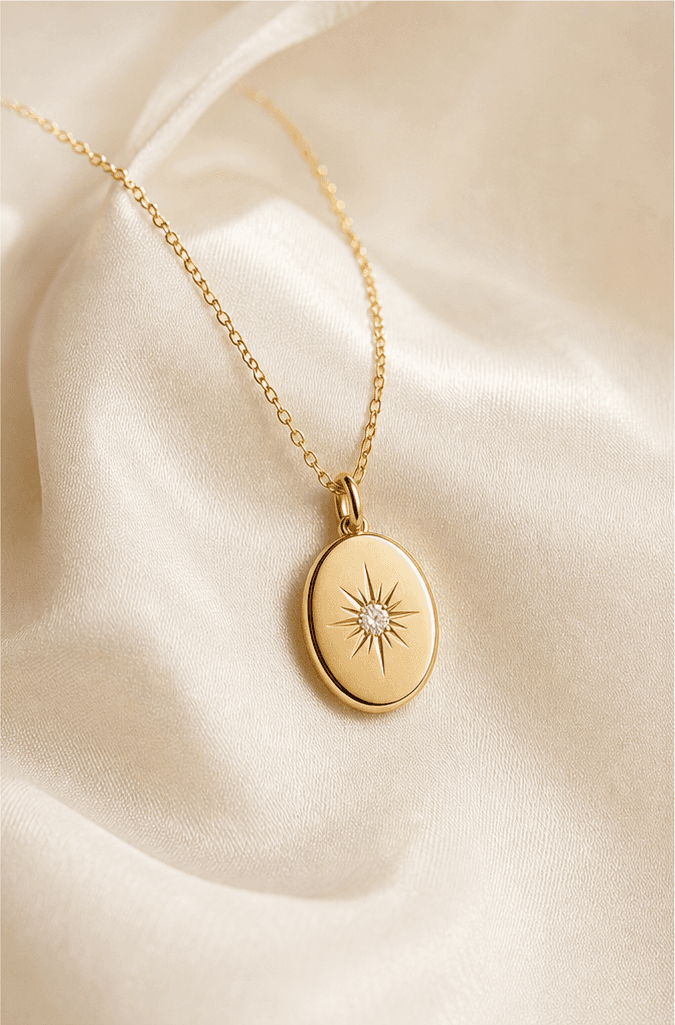
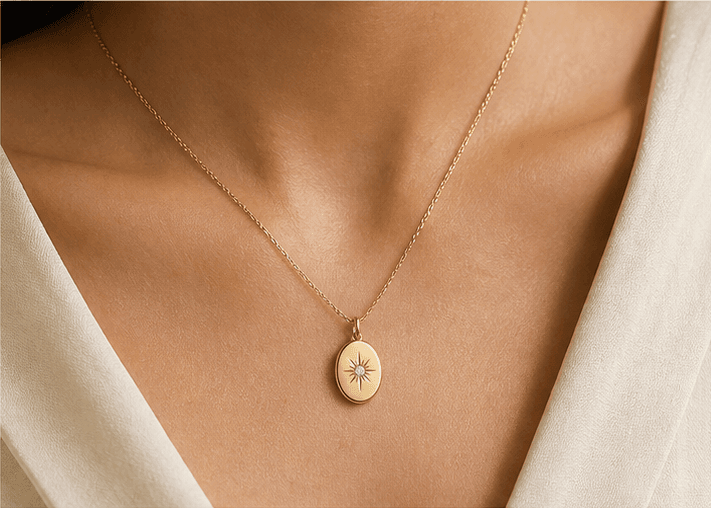
Schieberegler ziehen, um Vorher/Nachher zu vergleichen
Open Angle in Image-to-Layers →Häufig gestellte Fragen (FAQ)
1. Warum ist Pay-As-You-Go besser als ein monatliches Abo für Produktfotografie?
2. Ermöglicht Product-Views.com den Export von PSD-Ebenen?
3. Verfallen Credits bei Image-to-Layers jemals?
4. Wie hoch sind die Kosten pro Blickwinkel im Vergleich?
5. Kann ich Modelfotos für Schmuck ohne teuren Tarif generieren?
6. Besitze ich alle kommerziellen Rechte an den generierten Bildern?
Bereit für professionelle Produktwinkel ohne Abo-Zwang?
Vergessen Sie monatliche 99-$-Abos. Starten Sie flexibel mit Pay-As-You-Go und PSD-Export.
Pay as you go • Credits never expire • Export layered PSD